Plan with confidence
See likely costs before you book and make decisions about your event fee.
For the plans that bring Scouts together
From activity evenings to international adventures, plan your next Scout event with confidence. Estimate costs, work out participant contributions and keep track of your event finances — all in one place.
Start without signing in. Your first budget is just a few steps away.
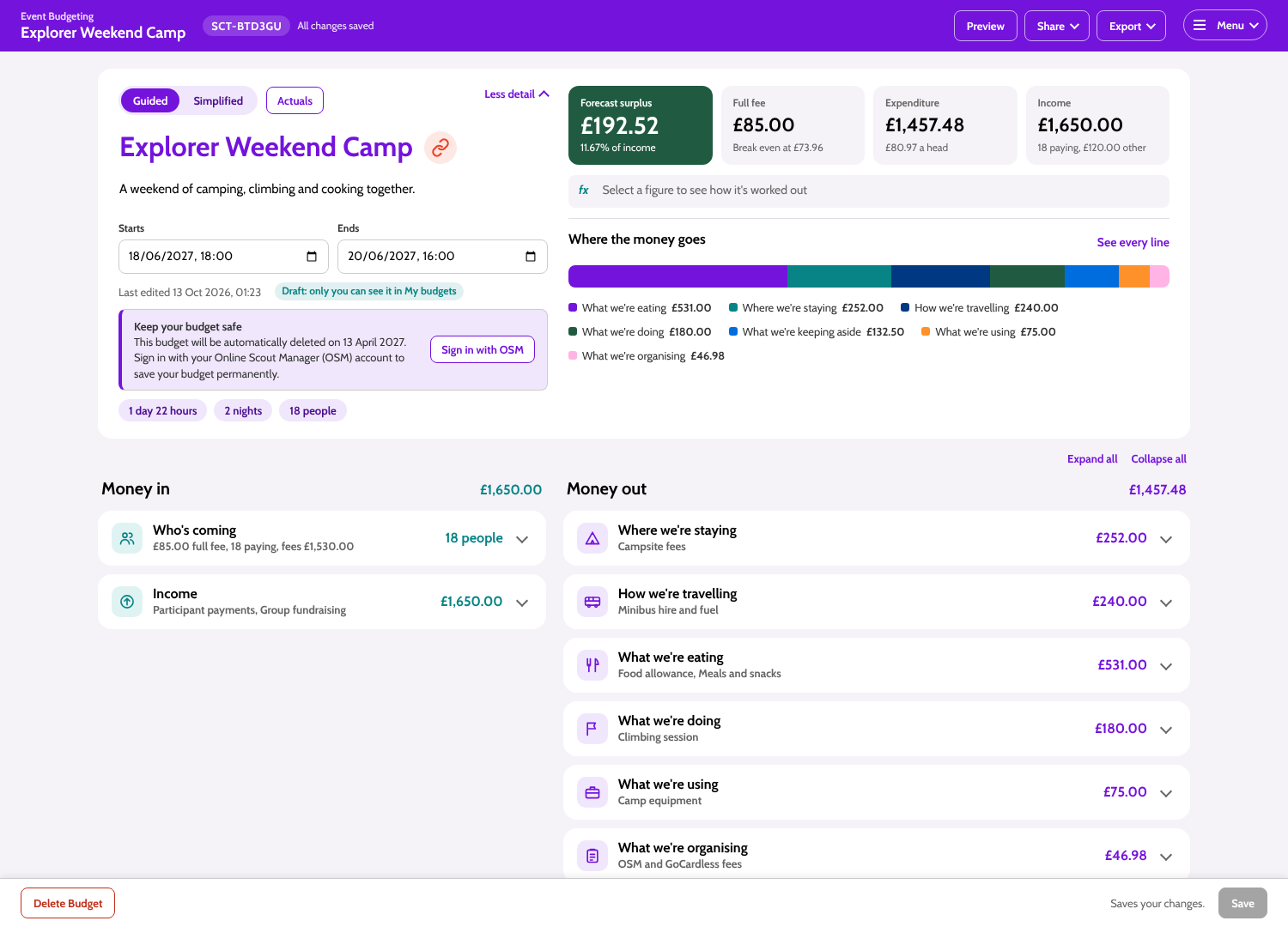
Less guesswork, better plans
See likely costs before you book and make decisions about your event fee.
Bring accommodation, transport, food, activities and more into one budget.
See how participant numbers and expected income affect the event's finances.
Save a budget, return to edit it and compare planned costs with actuals through OSM Accounts.
A simple way to get started
Follow a fictional Explorer weekend camp through the same screens you'll use to plan your own event.
Create a budget and add your event name, a short description and dates. You can start from a blank budget, or choose an event from OSM when it's connected.
Add costs for your stay, travel, food, activities and equipment. Enter a total or a per-person amount and let the budget bring the figures together.
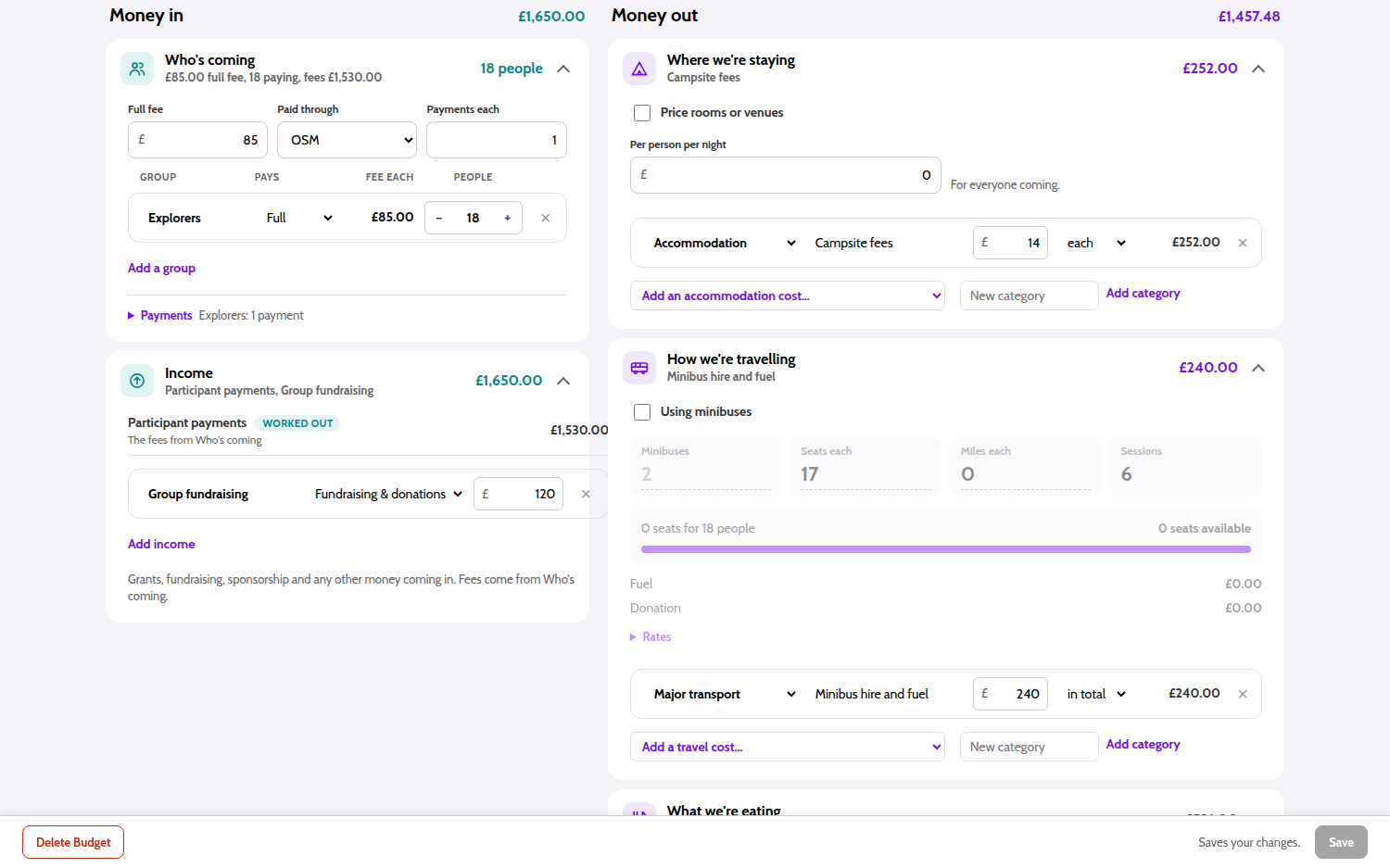
Use Guided Mode to plan in themed sections, or switch to Simplified Mode for one direct list of budget lines. Both views work with the same budget.
Guided Mode groups related costs into sections, with helpful calculators for common costs.
Add participant contributions and other income, such as fundraising or grants. The summary brings expected income and spending together.
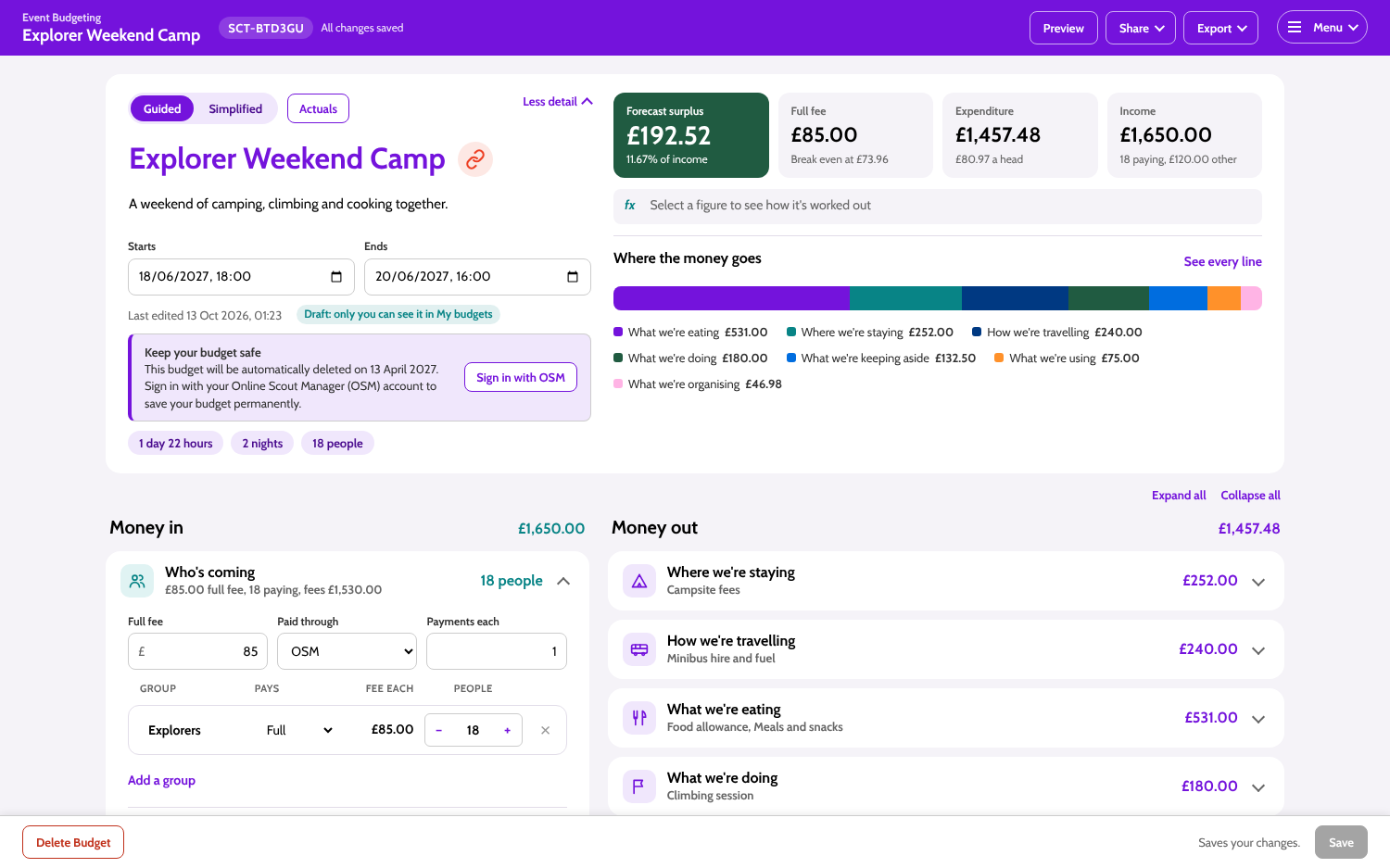
Check the planned income, expenditure, forecast surplus or deficit and estimated fee before you commit to the event.
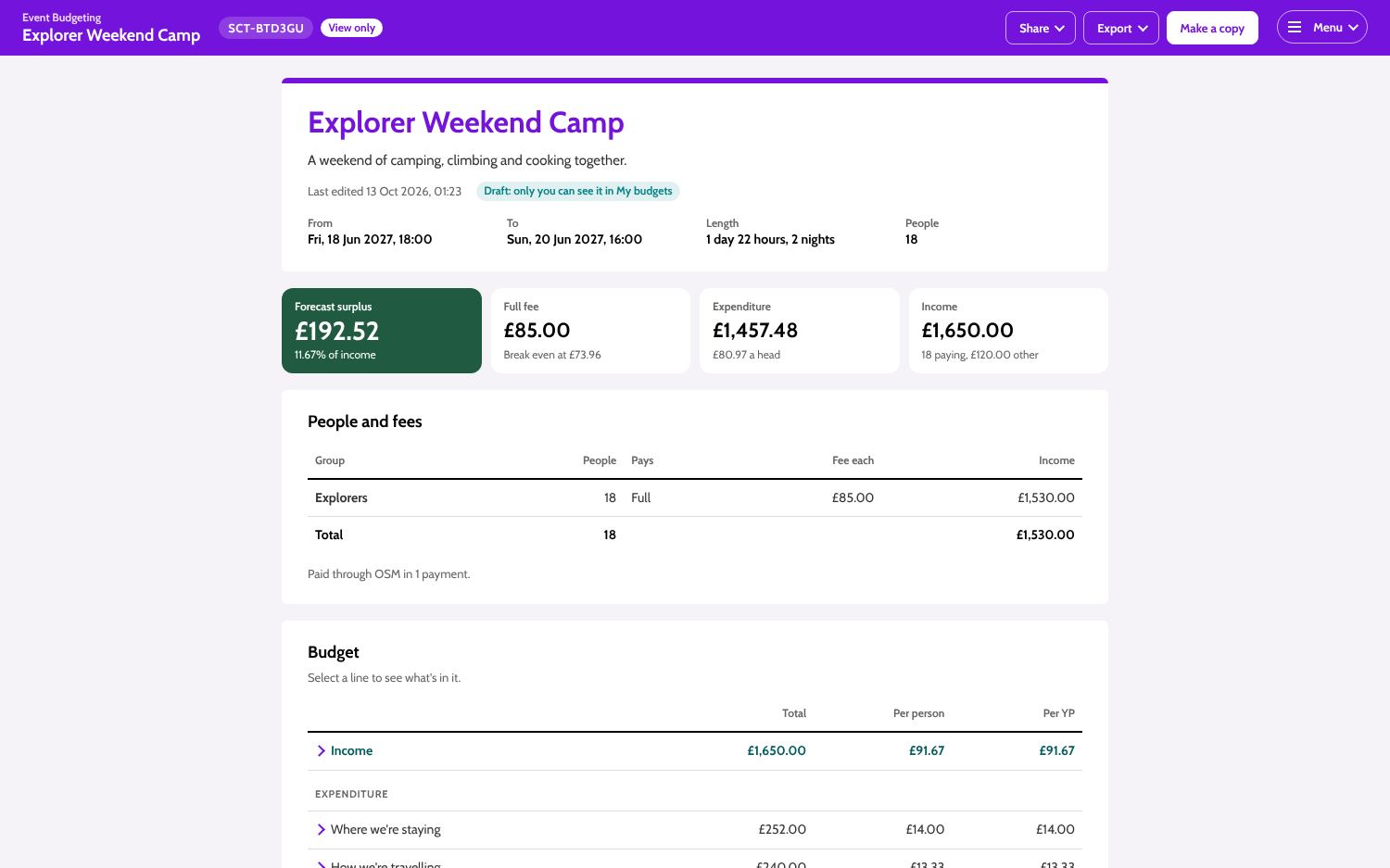
Save your plan and come back to edit it. With an OSM account, you can manage your budgets and, for an event linked to OSM Accounts, compare actual transactions with your estimates.
Budgets made without signing in are automatically deleted six months after creation. Sign in with OSM to keep a budget permanently.
Start with a blank budget and build it at your own pace.
Useful details, built in
See how accommodation, travel, food, activities and other costs contribute to the total.
Add, change and organise costs as the plan takes shape.
Keep budgets in your account or share a view-only statement with others.
Print or save as PDF, or download a CSV or Excel workbook.
Optional OSM connection
Sign in with OSM to access My Budgets, link a budget to an event and, with the right OSM Accounts access, compare actual finances with your plan.
Guest budgets expire six months after they were created. Signing in only keeps a guest budget when you add it to your OSM account.
Big or small, start with a plan
Use the budget to bring the costs and expected income for your event together.
Venue hire, materials, equipment and participant contributions.
Campsite fees, food, transport, activities and equipment.
Flights, accommodation, insurance, activities and travel costs.
Multiple costs, suppliers and income sources in one plan.
A few helpful answers
No. You can create a budget without signing in. OSM sign-in adds account features, including My Budgets and permanent retention once you add a budget to your account.
Yes. Keep the private edit link or sign in to edit a budget saved to your OSM account. A view link is read-only.
Guided Mode arranges costs into themed sections with calculators for common costs. Simplified Mode shows a single list of budget lines.
Yes. Both modes show the same budget, so switching views doesn't change its figures.
When a budget is linked to an OSM event and your account has Finance access, you can import its OSM Accounts transactions and compare actuals with the budget.
You can still create and edit a budget with its private edit link. Guest budgets are automatically deleted six months after creation.
Yes. Add the travel, accommodation, insurance, activities and other costs that make sense for your trip.
Your next event starts here
Take the guesswork out of event finances and start building your budget.